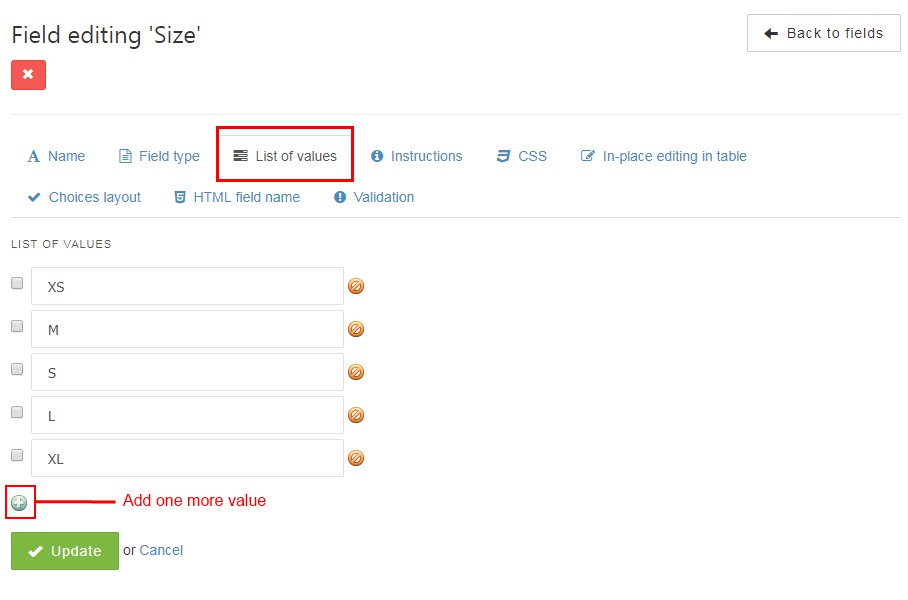
The changes in the service are small, but we’re trying to make it better every day. List of values is easy to work with, because if you want to edit your fields there is a button for it now. This function you can try in your web forms, e.g. in checkbox list.
Edit the list of values has become much more convenient!
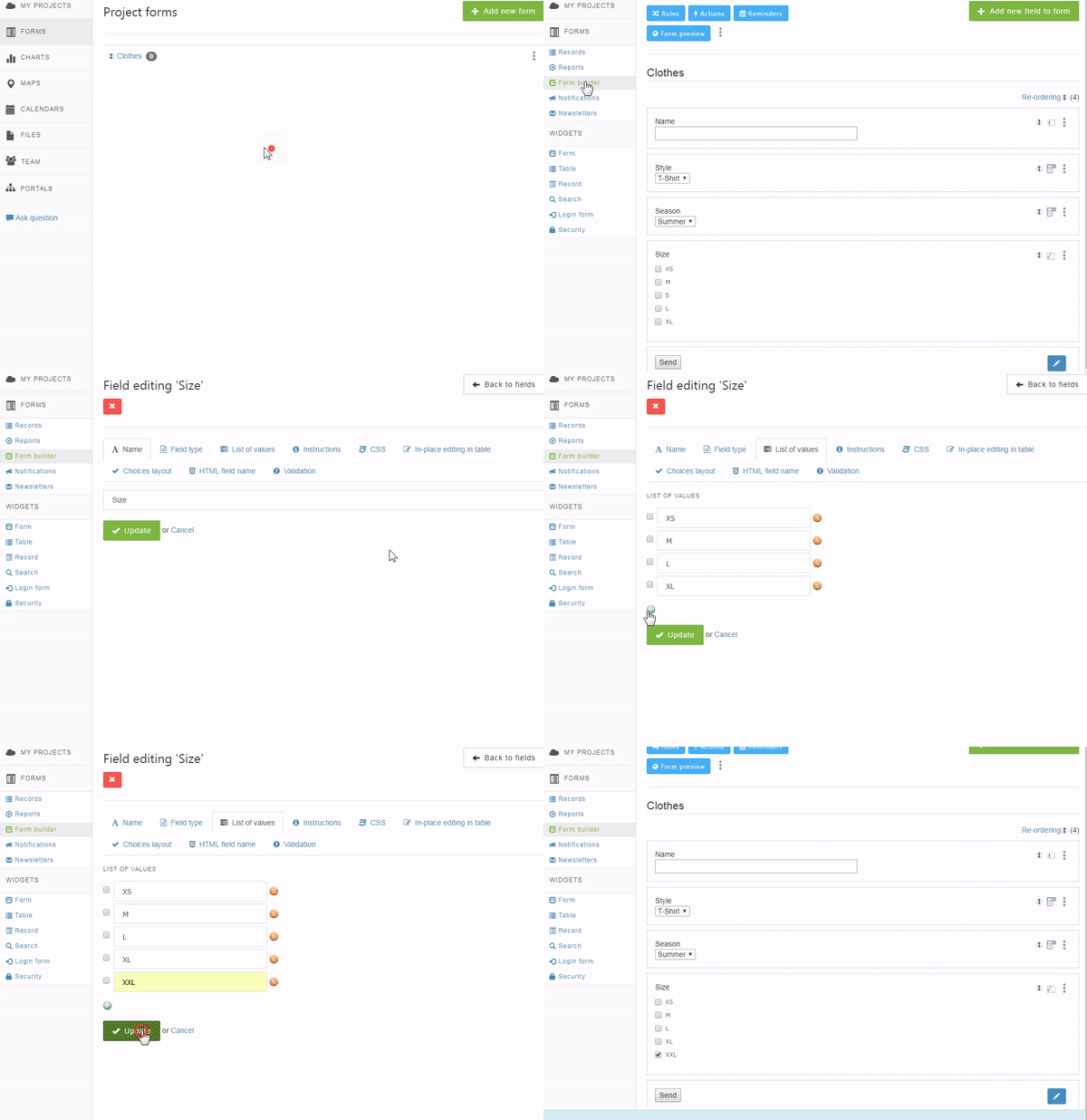
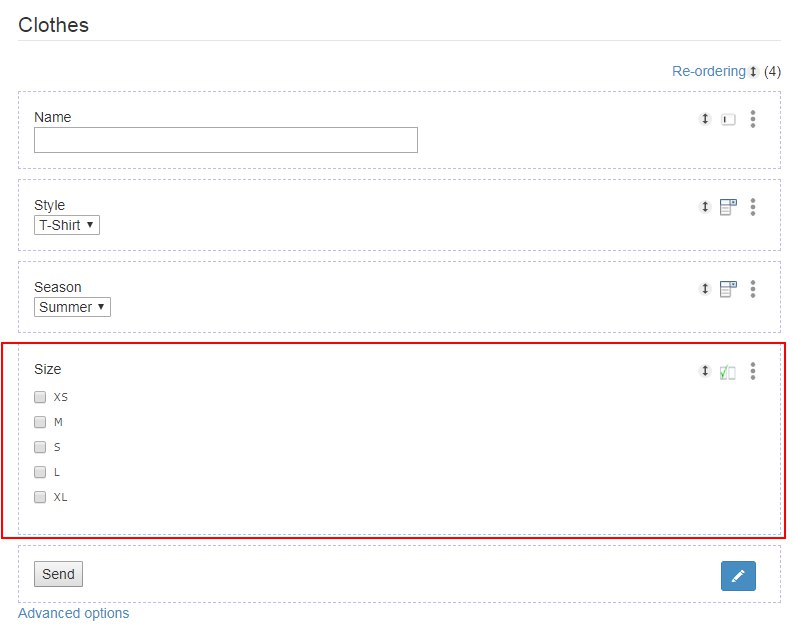
For example, we have the "Size" field with the ability to select the appropriate value.
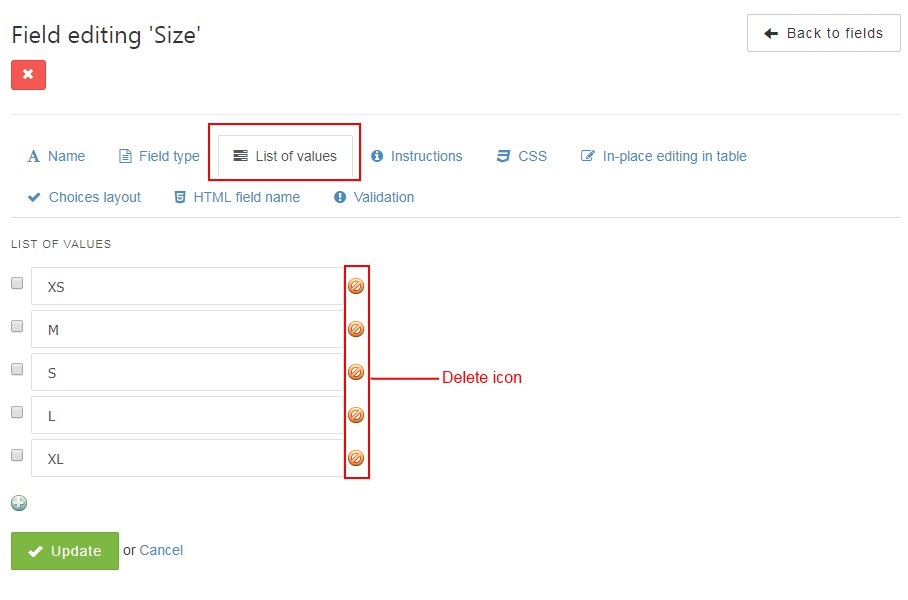
If we want to delete one of the values, we just need to go to the "Edit Field Settings" menu, select the "List of Values" tab, click on the corresponding icon on the opposite.
To add a new line, just click on the bottom icon.